 EMZETT.
CPU
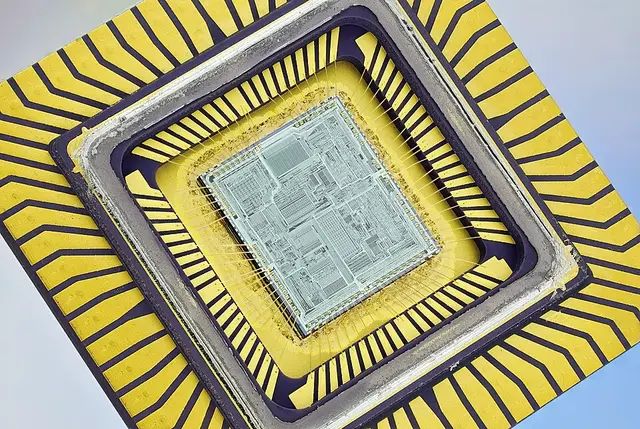 Image: Mister rf, CC BY-SA 4.0, Wikimedia Commons


In short: The “Central Processing Unit” — a computer’s central processor, which executes program instructions and performs calculations.
In more detail: Modern CPUs contain several processing cores (cores), each able to process several threads at once. The clock rate (in GHz) states how many computing cycles are executed per second — but architecture and core count influence real-world performance at least as much as the raw clock speed.
In Depth
How it works: fetch-decode-execute
The basic working cycle of a CPU follows the so-called “fetch-decode-execute” principle: an instruction is loaded from memory (fetch), broken down into its parts and interpreted (decode), and finally executed (execute) — this cycle repeats billions of times per second. Modern CPUs extend this with “pipelining” (processing several instructions at once in different cycle phases, like an assembly line) and “out-of-order execution” (executing instructions in a different order if needed, when an earlier instruction is currently waiting on data), to maximise the utilisation of the execution units. The clock rate in GHz states how often the basic cycle runs per second, but on its own says little about actual performance: a CPU with a more efficient architecture can do more work per cycle at a lower clock speed (higher “instructions per clock”, IPC) than an older, higher-clocked CPU — comparing purely by GHz between different CPU generations or manufacturers is therefore misleading.
Cores, threads and cache
Modern CPUs consist of several cores, each able to independently process instruction streams, plus often several logical threads per physical core (e.g. via Hyper-Threading/SMT, which lets one core manage two instruction streams at once to better use waiting time — but this typically only brings 15-30% extra performance per core, not the full 100% of a real second core). On top of that come multi-level caches directly on the chip: L1 cache (tiny, often only 32-64 KB per core, but extremely fast), L2 cache (several hundred KB to a few MB per core) and L3 cache (several MB to over 100 MB, shared by all cores) — each level is larger but noticeably slower than the previous one. This cache hierarchy bridges the huge speed gap between the CPU and main memory (RAM): an L1 cache access takes a few clock cycles, a RAM access, by contrast, hundreds. There’s usually also a special execution unit for floating-point numbers (FPU) for calculations with decimal numbers like double.
Historical development
Until the mid-2000s, CPU performance was increased almost exclusively through higher clock rates (the “megahertz race”) — this eventually hit physical limits: a higher clock rate means exponentially more heat generation and power consumption. Since then, the focus has shifted to multi-core architectures (the first dual-core consumer CPUs came out in 2005), more efficient manufacturing processes (smaller feature sizes, measured in nanometres — modern CPUs are at 3-5 nm, compared to, say, 90 nm in the early 2000s) and specialised execution units for particular tasks (e.g. for AI calculations or video encoding), instead of continuing to just push the clock rate.
x86 vs. ARM
An important architectural difference exists between x86 CPUs (Intel, AMD — dominant in desktop PCs and most laptops) and ARM CPUs (dominant in smartphones and tablets, increasingly also in laptops such as Apple’s M-series chips). x86 uses a “CISC” instruction set (Complex Instruction Set Computing) with many, sometimes complex individual instructions; ARM relies on “RISC” (Reduced Instruction Set Computing) with few, simple instructions, which are in turn executed very energy-efficiently. This efficiency advantage is the main reason ARM long dominated mobile, battery-powered devices, and is now gaining ground in laptops and even servers.
Purchasing criteria
When choosing a CPU, besides core count and clock speed, what mainly matters is: socket compatibility with the motherboard (see CPU socket), the TDP (Thermal Design Power, which states the expected waste heat and thus cooling requirements), and the actual use case — for pure office/web work, a CPU with few, fast cores is often more sensible than one with many, but weaker, cores, while highly parallelisable tasks (video editing, compiling large software projects) benefit considerably from many cores.
See also: CPU Socket, Cores, Threads, Clock speed (GHz), Chipsets, Motherboard/Mainboard