 EMZETT.
Server
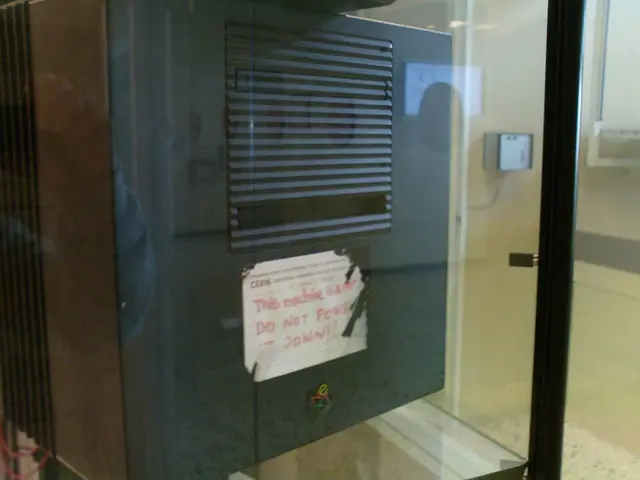 Image: Zuzanna K. Filutowska, CC BY-SA 3.0, Wikimedia Commons
 Photo:
In short: A computer (or program) that provides resources or services to other devices (clients) on the network — e.g. web pages, files or database access.
In more detail: Server hardware is usually designed for continuous operation, redundancy and high throughput rather than for a single user’s experience (ECC RAM, redundant power supplies, server CPUs with many cores). “Server” refers both to the physical machine and to the software running on it (e.g. a web server process).
In Depth
Server hardware differs from normal desktop hardware primarily in being designed for reliability and continuous operation rather than maximum single-user experience: ECC RAM (Error-Correcting Code) automatically detects and corrects individual memory errors that, with normal RAM, could lead to faulty calculations unnoticed — on a system running 24/7 with huge amounts of memory, such rare bit errors statistically add up to a real risk. Redundant power supplies (present in multiples, so that one failing doesn’t interrupt operation) and server CPUs with particularly many cores for parallel request processing round out the picture.
Important is the term’s double meaning: “server” refers both to the physical machine (server hardware in a data centre) and to the software role running on it (a “web server” process that answers HTTP requests) — a single physical server machine can run several server software processes for different services at once (web server, database server, mail server). Conversely, a single software service can also be spread across many physical machines (a server cluster), to increase fault tolerance and capacity, which nevertheless looks like a single server from a client’s point of view.
Server form factors in the data centre
In a professional data centre, servers don’t stand around individually like desktop PCs, but are slid into 19-inch server racks as flat, standardised “rack servers” (measured in height units “U”, e.g. 1U, 2U, 4U) — this allows many machines to be densely stacked in a small area, with shared power, cooling and cabling. An even denser alternative is blade servers, where several thin server modules share a common enclosure with shared power supply and cooling.
Virtualisation: one physical server, many “servers”
A single physical server can be split via virtualisation into several mutually isolated virtual machines, each of which behaves like a standalone server (its own operating system, its own IP address, its own resource allocation) — indistinguishable from a physically standalone server from a user’s point of view. Cloud providers use this principle on a large scale, to maximise the hardware utilisation of their physical servers and flexibly assign customers exactly the capacity they currently need.
See also: Client, End Device, RAM