 EMZETT.
FTP
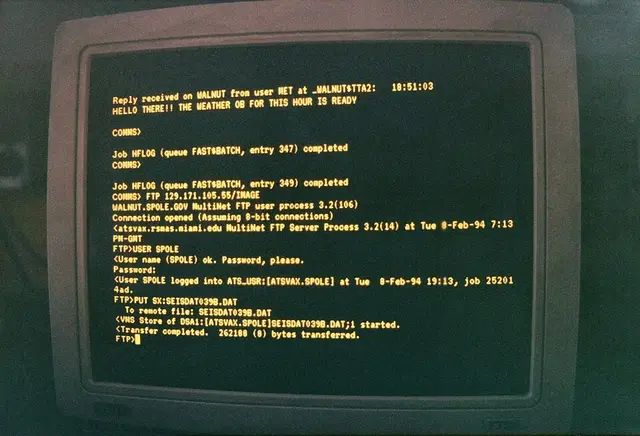 Image: Brent Jones, CC BY-SA 3.0, Wikimedia Commons

In short: File Transfer Protocol — one of the oldest internet protocols for transferring files between client and server, unencrypted by default.
In more detail: FTP uses two separate connections: one for control commands (standard port 21) and one for the actual data. Because credentials and file contents are transmitted in plain text, it’s considered insecure today — replaced by SFTP or FTPS. Nevertheless still used in older hosting environments.
In Depth
Two separate connections
The split into two connections is FTP’s most striking peculiarity and dates from a time (RFC 959, 1985) when networks were considerably less reliable than today. Only commands such as login, changing directory or “send this file” run over standard port 21 (control connection) — the actual file data runs over a separate data connection whose port is only negotiated at runtime. There are two modes for this:
Active mode:  client tells server "connect to me on port X" -> server opens the connection to the client
Passive mode: client asks server "which port should I connect to?" -> client opens the connection to the server
Active mode is historically older, but works badly behind modern firewalls/NAT routers, because the server has to open an incoming connection to the client — which most home routers and firewalls block by default, since incoming connections on unpredictable ports look like an attack. Passive mode solves this by having the client initiate both connections itself (it asks the server for a port via the PASV command and then connects there itself), but is more complex for firewall configurations on the server side, because a larger port range has to be opened for the dynamically negotiated data connections. In practice, practically all modern FTP clients use passive mode by default.
Typical command sequence
At the protocol level, a simple file download looks roughly like this:
Client: USER anna
Server: 331 Password required
Client: PASS ******
Server: 230 Login successful
Client: PASV
Server: 227 Entering Passive Mode (192,168,1,10,200,15)
Client: RETR report.pdf
Server: 150 Opening data connection
        (file transfer runs over the separate data connection)
Server: 226 Transfer complete
The numbers in the 227 reply encode the IP address and port for the data connection (the last two numbers together give the port: 200×256+15 = 51215).
Security problem and successors
FTP transmits the user name, password and all file contents unencrypted in plain text — anyone who can capture the network traffic (see Sniffer), for example on public Wi-Fi or on a compromised network device in between, sees credentials and files in plain text. That’s why FTP is considered outdated today and is being replaced by two different successors: SFTP (FTP-like functionality, but tunnelled completely encrypted over SSH and technically an entirely independent protocol despite the similar name) or FTPS (classic FTP with additional TLS encryption on top, but it keeps the two-connection architecture and therefore also its firewall complexity).
Where FTP still appears today
It can still be found in old hosting environments (many shared hosting providers still offer FTP access for file uploads for compatibility reasons) and on some public, anonymous download servers (where no sensitive credentials are transmitted, only an “anonymous login” with any password). For new projects, FTP is now considered an anti-pattern practically across the board — modern deployment workflows use Git-based deployments, SFTP or direct API uploads to cloud storage services instead.
See also: SFTP, SCP, Standard port, Firewall