 EMZETT.
GitLab
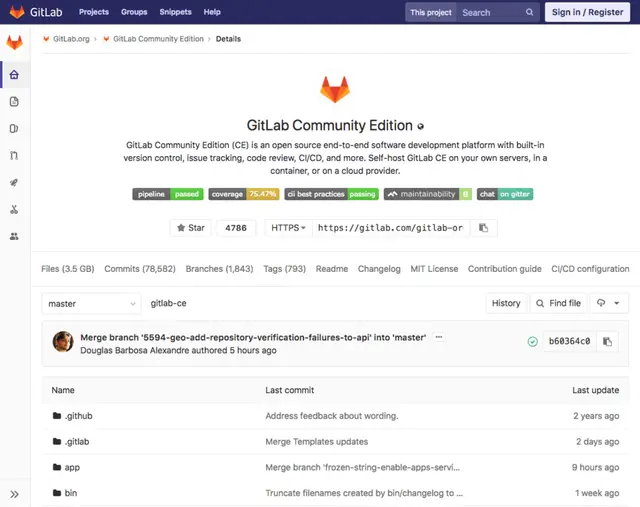 Image: Gabriel Mazetto, CC BY-SA 4.0, Wikimedia Commons
.png)
In short: A platform for hosting Git repositories, functionally similar to GitHub, but additionally available as a self-hosted variant.
In more detail: Offers pull-request equivalents (“merge requests”), integrated CI/CD pipelines and issue tracking. The ability to run your own GitLab instance in your own data centre makes it particularly attractive for companies with strict data protection or compliance requirements.
In Depth
The “one DevOps platform” philosophy
From the start, GitLab positioned itself more strongly as a “DevOps platform” than GitHub: CI/CD pipelines, a container registry, security scanning (static code analysis, dependency scans for known vulnerabilities), deployment tracking, and even an integrated wiki/project management are directly part of the same application, instead of being assembled (as with GitHub Actions) through a separate ecosystem of third-party marketplace extensions. GitLab’s own marketing calls this “one DevOps platform” — the idea of covering the entire software lifecycle (planning, code, build, test, deploy, monitoring) in a single tool, instead of linking together several specialised tools.
Self-hosting as a structural differentiator
The most important structural difference is the self-hosting option: a company can run “GitLab Community Edition” (free, open source) or “GitLab Enterprise Edition” (paid, with additional features) on its own infrastructure, so source code never leaves its own network — relevant for government agencies, banks, the defence industry, or other organisations with strict regulatory requirements, where cloud-hosted solutions like GitHub.com are fundamentally out of the question for compliance reasons. GitHub does now also offer an on-premise variant with “GitHub Enterprise Server”, but GitLab was historically considerably earlier to market here and is still used more often in heavily regulated industries today.
CI/CD configuration compared
# .gitlab-ci.yml — GitLab's counterpart to a GitHub Actions workflow
build:
  stage: build
  script:
    - npm install
    - npm run build

test:
  stage: test
  script:
    - npm test
Functional convergence
Functionally, both platforms are now very similar, even though the terms differ: merge requests correspond to GitHub’s pull requests, GitLab CI/CD corresponds to GitHub Actions, issues/boards cover similar Kanban-like project management. Today the difference lies less in core functionality than in ecosystem size (as a Microsoft subsidiary and the home of most open-source projects, GitHub has considerably more network effect and community) and in self-hosting maturity.
Integrated security scanning
An often-highlighted GitLab feature is security scanning integrated directly into the pipeline: static code analysis (SAST — finds potential security vulnerabilities directly in the source code, without executing it), dependency scans (known vulnerabilities in libraries used), and container scanning (security vulnerabilities in Docker images) run automatically with every merge request and show results directly in the code review interface, instead of as a separate, often-forgotten extra tool.
See also: Git, GitHub, CI/CD Pipeline